

What is an AI agent?
An AI agent is an AI system that pursues a goal on its own over several steps. Instead of just answering a question, it breaks a task down, decides which tool it needs next, carries out the step and checks the result. Tools can be an email inbox, the CRM, a database, a calendar or internal software.
At its core there is usually a large language model, like the ones behind ChatGPT, Claude or Gemini. It only becomes an agent through three ingredients: access to tools, knowledge from your company and clear rules about what it may and may not do.
How is an AI agent different from a chatbot or automation?
| Chatbot | Classic automation | AI agent | |
|---|---|---|---|
| What it does | Answers questions in a conversation | Runs fixed processes based on rules | Pursues a goal and chooses the steps itself |
| Handling exceptions | Gives an answer or refers you on | Stops or needs a new rule | Tries to resolve the exception or asks |
| Access to systems | Usually none | Hard-wired interfaces | Uses tools as needed, within permitted limits |
| Typical example | FAQ chat on a website | Invoice is filed in a folder automatically | Read a request, check the CRM, prepare a quote |
The lines are blurred. Many good solutions combine both: fixed workflows for what is always the same, and an agent for the steps where language has to be understood or judgment is needed.
What do companies use AI agents for?

Good use cases have three things in common: they come up often, follow recognizable rules and take time today because information has to be gathered from several sources. Typical examples from mid-sized companies:
- Requests and inbox: read emails, sort them by topic, ask for missing details and prepare a draft reply.
- Preparing quotes: extract requirements from a request, pull matching items and prices from the system and create a draft quote.
- Internal knowledge search: answer questions about policies, manuals or technical documentation, with sources.
- Querying software data: retrieve sales, stock levels or project status from your own application with a simple question.
- Checking documents: read contracts, delivery notes or official letters, extract key points and flag discrepancies.
- Research and summaries: gather information about a customer, competitor or topic from several sources and summarize it.
How does an AI agent work technically?
An agent works in a loop: it receives a task, plans the next step, calls a tool, reads the result and decides how to proceed. This repeats until the task is done or the agent asks a question.
- Model: a language model understands the task and plans the steps.
- Tools: interfaces to your systems through which the agent may read or act. An open standard for this is the Model Context Protocol (MCP), which many AI providers and tools support.
- Knowledge: documents and data from your company that the agent searches when needed.
- Rules and approvals: what the agent may do on its own, what a person has to approve and which data is off limits.
- Logging: every step is recorded so that it stays clear what the agent did.
Building AI agents: platform or custom development?
To get started, there are ready-made platforms for assembling agents without much programming, for example Microsoft Copilot Studio, n8n or Langdock. ChatGPT and Claude now also offer agent features for businesses.
- Platform: quick start, good for standard tasks and systems with ready-made connectors. Limits show up with your own software, special data protection requirements or complex processes.
- Custom development: more effort at the start, but full control over data, models, costs and integration into your existing IT.
A mix often makes sense: the pilot is built on a platform, and what proves itself is later integrated to fit. What matters is that the choice fits your systems and your data, not the other way round.
What about data protection and the AI Act?
AI agents are subject to the same rules as any other AI in a company, with one difference: an agent acts. That is why the access it gets matters so much.
- Only the rights it needs: the agent may only read the data and perform the actions it needs for its task.
- Human in the loop: steps with external impact, such as an email to customers or an order, are approved by a person at first.
- Data protection: if the agent processes personal data, you need a legal basis and, with external providers, a data processing agreement. More in the article on AI and data protection.
- Transparency: if an agent writes to customers directly, they must be able to tell that they are communicating with AI.
- AI literacy: anyone working with the agent should know what it can do and where it makes mistakes. Art. 4 of the AI Act requires this too, more in the article on AI literacy training.
An example: an agent for quote requests
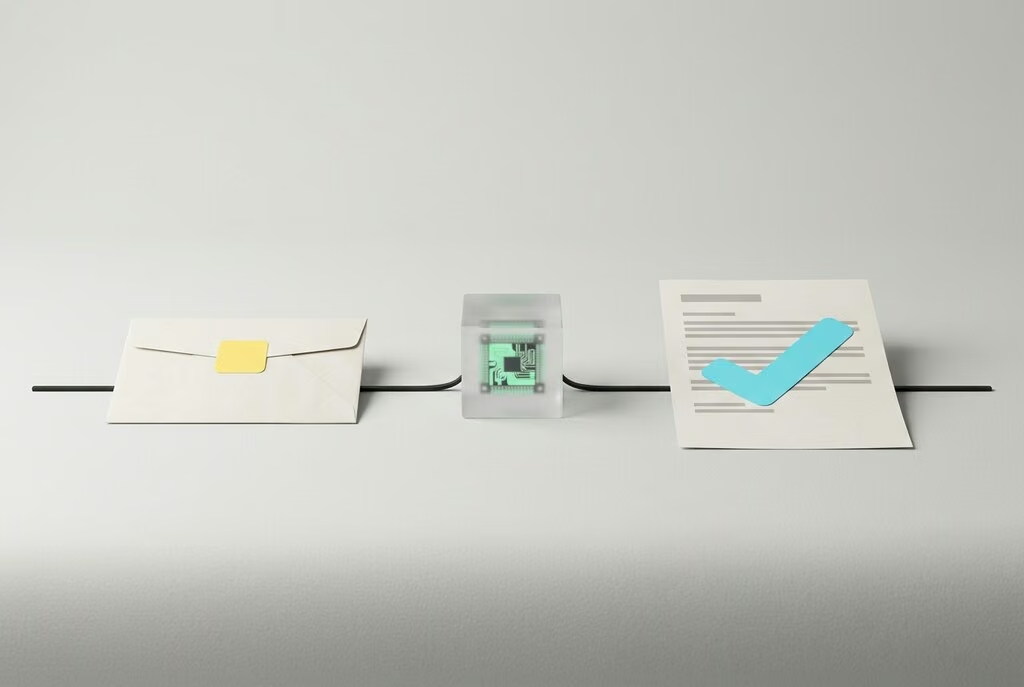
Imagine a trade or industrial business that receives requests by email every day, often incomplete and in very different formats. This is how an agent could help:
- It reads each new request and identifies what it is about and which details are missing.
- If dimensions, quantities or a date are missing, it suggests a follow-up question to the customer.
- It checks the CRM to see whether the customer already exists and which orders there were before.
- It puts together matching items from the product catalogue and creates a draft quote.
- An employee reviews the draft, adjusts it and sends it.
The agent doesn't replace anyone here. It takes over the searching, typing and gathering, and the decision stays with the person. Only when the drafts have been reliable for weeks is it worth releasing individual steps.
Common mistakes
- Starting too big. An agent meant to "take over sales" fails. An agent that triages requests works.
- Granting too many rights. Full write access to all systems is convenient but risky. Every permission should have a reason.
- Starting without test cases. Collect real examples beforehand, including difficult ones, and test the agent against them.
- No logs. Without records, you can't trace later why the agent did something.
- Leaving the team out. The people who handle the process today know best where the exceptions are.
Checklist for your first AI agent
- A process that comes up often and noticeably takes time today has been chosen.
- The goal and a success criterion are defined, for example less handling time per request.
- The systems and data involved are known, as well as the access the agent needs.
- Data protection is clarified: legal basis, provider, place of processing.
- Steps with external impact are approved by a person at first.
- There are 20 to 50 real test cases, including difficult ones.
- Every step the agent takes is logged.
- The team is involved and trained.
How uberneu supports you
We help you find the right first use case, build the agent as a pilot and integrate it into your existing systems, whether through a platform or as custom development. From the start, we take care of data protection, clean access rights and approvals, and we train your team to work with the agent.